
Is your inbox cluttered with unread emails? This may cause us to miss an important opportunity, or important information. So we need to clean up our own mailbox and mark all unread emails as read. Make the interface more clear.
1. One way to type “is:unread in:inbox” into the search bar at the top of Gmail to quickly find all unread emails in your inbox.


How do I mark all emails as read on iPhone/Android?
It is not possible to mark all emails as read with one click in the Gmail app. Here’s how to mark specific emails as read on an iPhone/Android device:
https://www.tipsforgmail.com/gmail-built-in/mark-all-emails-as-read-in-gmail-app/

Reverse the send action, shortly after accidently clicked the ‘send’ button .
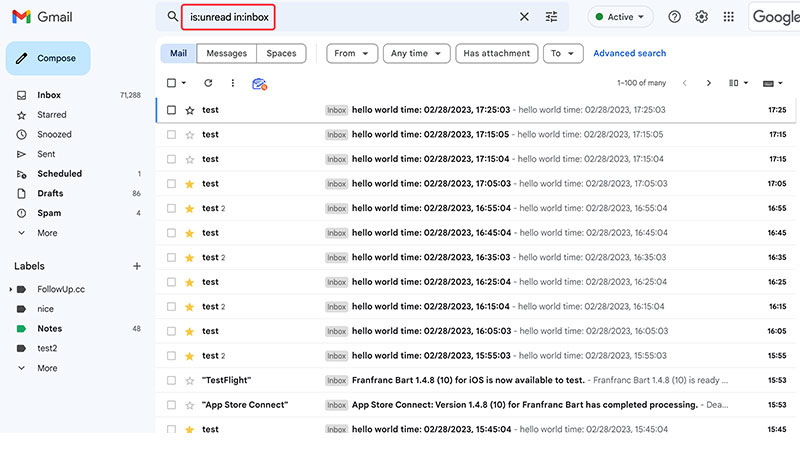
Mark ALL unread emails in Gmail with one action, without going through the emails page by page.
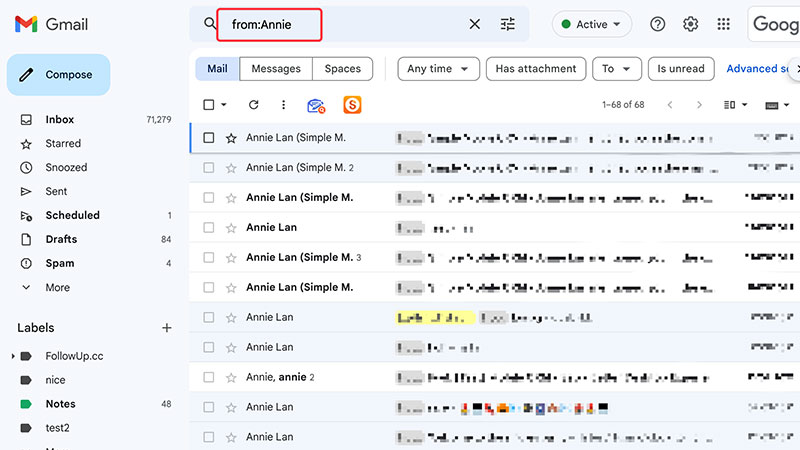
Categorizing large volumes of email to find specific messages can be difficult. Some smart search operators you can use in the Gmail search box.
 Translate